Most players start Free Fire using just their two thumbs (2-Finger setup). It’s natural. It feels like holding a game controller. But then you watch a YouTuber place a Gloo Wall instantly while jumping and turning, and you realize: “I can’t do that with just two thumbs.”
This is the debate: Is 2-Finger enough, or do you need to learn 3-Finger or 4-Finger Claw? Let’s analyze the pros and cons.
1. The Limitation of 2-Finger
With only two thumbs, you have a physical limit. You cannot do three things at once.
Example: You want to Jump, Turn the Camera, and Shoot at the same time.
- Right Thumb: Needs to press Jump AND move the camera AND press Fire. It can’t do all three instantly. You have to Jump -> Move -> Fire. This creates a delay.
2-Finger players are usually great at aiming (since the thumb is stable), but slower at movement.
2. The Power of 3-Finger Claw
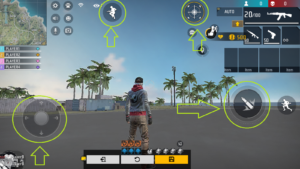
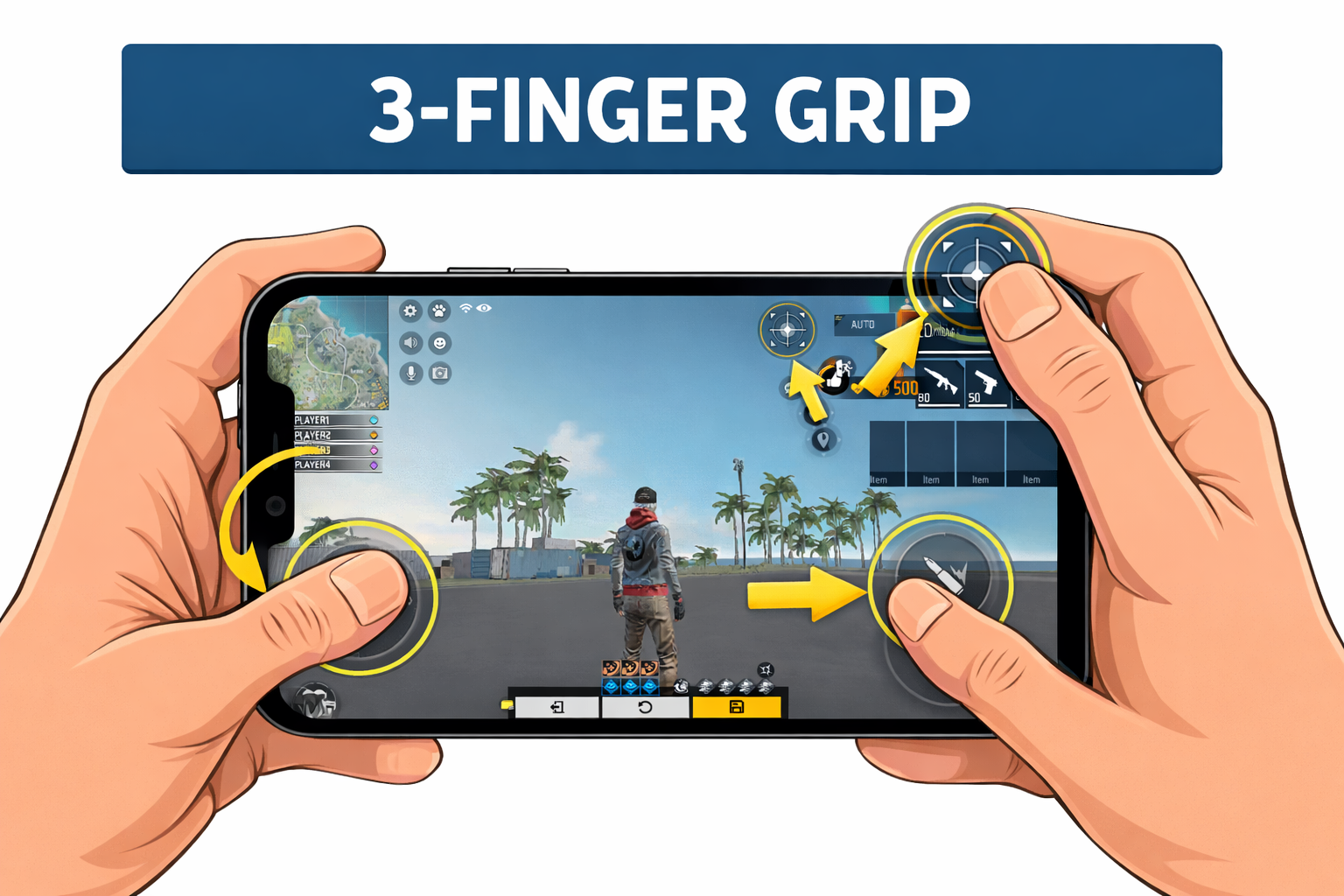
In a 3-Finger setup, you use your Left Index Finger to control the top-left part of the screen.
- Left Thumb: Movement (Joystick).
- Right Thumb: Aiming and Camera.
- Left Index Finger: Fire Button (or Jump/Gloo Wall).
This separates the actions. You can run and aim with your thumbs while your index finger handles shooting. This allows for “Jump-Shooting” with perfect accuracy.
3. How to Transition (The Baby Steps)
Switching HUDs is painful. You will play like a bot for 3 days. Your muscle memory will be confused. But it is worth it.
Step 1: Move your “Left Fire Button” to the top left corner. Make it huge.
Step 2: Use your Left Index finger ONLY for that button. Keep everything else normal.
Step 3: Practice using snipers. Aim with right thumb, shoot with left index. Once you get used to holding the phone this way, move the Gloo Wall button to the top left too.
4. Is 4-Finger Necessary?
Some pros use 4 fingers (both index fingers). This allows for insane speed (crouching + shooting + aiming + moving all at once). However, for mobile phones (not iPads), 4 fingers can block your screen visibility. For 99% of players, 3-Finger is the sweet spot between comfort and speed.
Conclusion
If you play casually, 2-Finger is fine. But if you want to reach Grandmaster or play competitive scrims, you must switch to at least 3-Finger. The movement advantage is simply too big to ignore. Take the pain for a week, and enjoy the skill boost forever.
0 Comments