Your HUD (Heads Up Display) is the interface between your brain and the game. You can have the fastest reaction time in the world, but if your buttons are in the wrong place, you will lose.
New players use the default HUD. Pro players spend hours micro-adjusting every button by a millimeter. Why? Because ergonomics matter. In this guide, we will analyze the three main playstyles: 2-Finger (Thumbs), 3-Finger Claw, and 4-Finger Claw. We will help you decide which one is right for your device and hand size.
1. The 2-Finger Thumb Player (The Standard)
Who is it for? Beginners, casual players, and people with small phones.
Pros:
- Comfort: You hold the phone naturally. Less hand fatigue.
- Aim Stability: Your right thumb is fully dedicated to aiming. This is why many snipers actually prefer 2-finger.
Cons (The Speed Limit):
You cannot do three things at once. You cannot Jump + Turn + Shoot instantly. Your right thumb has to do all three actions in a sequence. This creates a delay. Against a claw player who can do all three simultaneously, you will lose close-range fights.
Best 2-Finger Layout:
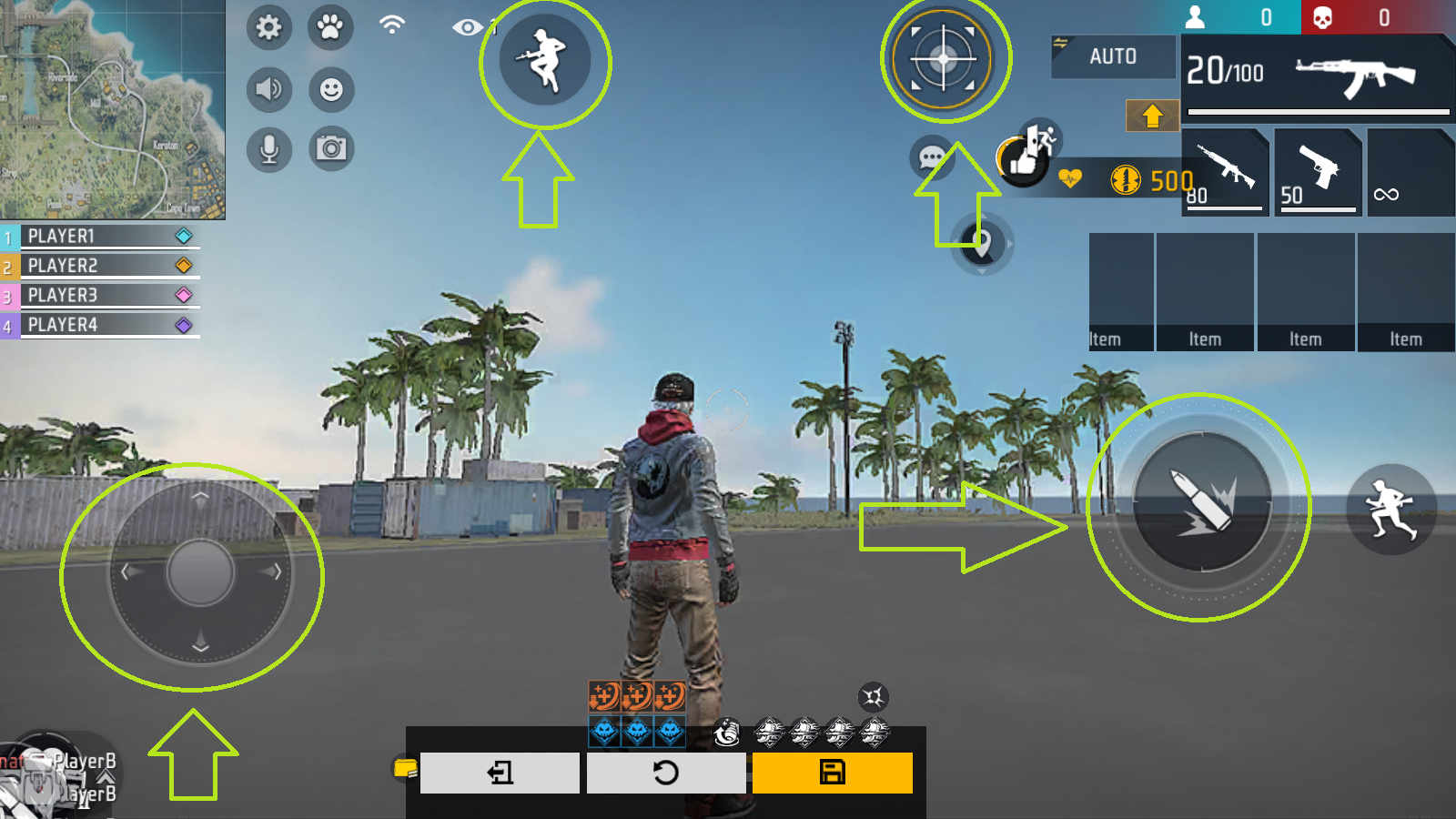
Keep the Right Fire Button large (60-70%). Move the Jump and Crouch buttons closer to the Fire button so your thumb travel distance is minimized.
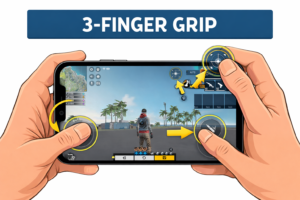
2. The 3-Finger Claw (The Sweet Spot)
Who is it for? Rank pushers, Gloo Wall speedsters. This is the most popular setup for competitive mobile players.
The Concept:
You use your Left Index Finger to control one specific action: The Left Fire Button.
Why it’s better:
By moving the shooting action to your left index finger, your right thumb is now free. It doesn’t have to shoot. It only has to AIM and JUMP. This allows you to track enemies smoothly while firing. It is essential for the “Sit-Up Gloo Wall” trick.
Setup Guide:
- Turn on “Always Show Left Fire Button” in settings.
- Move it to the top-left corner.
- Make it Size 100%.
- Grip your phone so your left index finger rests on top of the screen (like a trigger).
3. The 4-Finger Claw (The iPad Style)
Who is it for? Tablet players and hardcore rushers.
The Concept:
You use both Index Fingers and both Thumbs.
Left Index: Fire.
Right Index: Scope / Jump / Weapon Switch.
Thumbs: Movement and Aim.
The Danger:
On a small phone (under 6.5 inches), 4 fingers block your vision. You can’t see the enemy. Also, “Ghost Touches” happen frequently where your palm accidentally touches the screen. Only use this if you have a large phone (Pro Max / Ultra models) or a tablet.
4. Button Size & Transparency Science
Transparency: Once you memorize your layout, set transparency to 10-20%. You need to see through your buttons to spot enemies hiding in corners. High opacity buttons create blind spots.
Size:
Important buttons (Gloo Wall, Fire, Sprint) should be 100%.
Unimportant buttons (Backpack, Medkit, Emote) should be small and tucked away in corners.
5. The “Gloo Wall” Placement Rule
No matter which HUD you use, your Gloo Wall button must be accessible by your Left Thumb or Left Index.
Why? Because your Right Thumb needs to look down (to place the wall at your feet). If your Right Thumb also has to press the wall button, you can’t aim down at the same time. This is why 2-finger players are slower at wall placement.
6. How to Practice (The 7-Day Drill)
Changing your HUD is painful. You will play like a bot. You will rage. Do not switch back.
- Day 1-2: Training Grounds only. Just run around and shoot dummies. Get used to holding the phone differently.
- Day 3-4: Clash Squad Classic. Practice against real players without losing rank.
- Day 5-7: Ranked. By now, your muscle memory should be setting in.
Conclusion
There is no “Best HUD” for everyone, but 3-Finger Claw is objectively superior to 2-Finger for mechanics. If you want to improve, you must step out of your comfort zone. Upgrade your hands, upgrade your rank.
Frequently Asked Questions (FAQ)
Q: Does 4-finger claw cause hand pain?
A: It can if you hold it wrong. Take breaks. Stretch your fingers. Do not play for 5 hours straight in a claw grip.
Q: Should I copy a YouTuber’s HUD?
A: No. Their hands are different sizes than yours. Their phone screen is different. Use their HUD as a template, but move the buttons to where your fingers naturally rest.
0 Comments